When a Clearspeed assessment result is published, Clearspeed sends the result payload as an HTTP POST to a webhook URL you configure. This eliminates the need to poll for results — your system is notified in real time.
Each questionnaire has its own webhook URL configured independently from within the webapp.
This page covers:
- Configuring your webhook URL
- Securing your webhook endpoint
- Acknowledging receipt
- Retrying failed deliveries
- Webhook payload
- Open the questionnaire in the Clearspeed web app.
- In the questionnaire-specific left navigation bar, click Integration.
- In the Webhook Integration section, enter your endpoint URL in the Web Hook URL field.
- Configure the authentication method (see below).
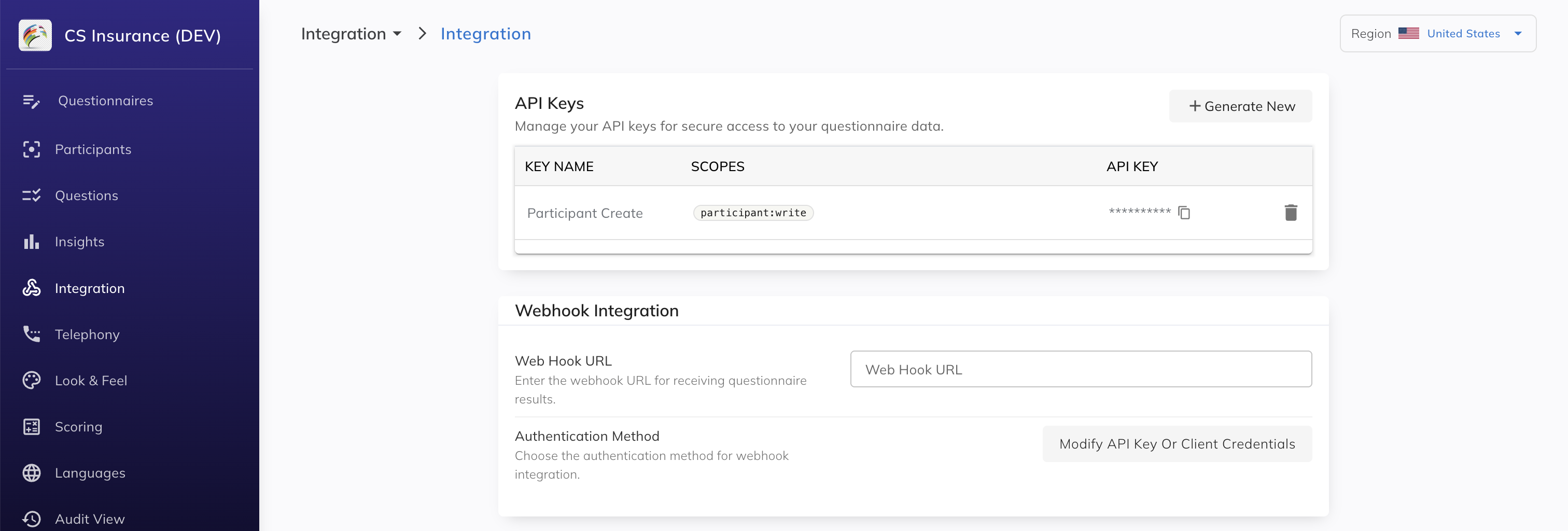 Screenshot placeholder — Integration page, Webhook Integration section
Your endpoint must be reachable from Clearspeed's servers over HTTPS. It does not need to be publicly exposed without authentication — Clearspeed will authenticate to your endpoint using the method you configure.
Click Modify API Key Or Client Credentials to open the Authentication Method dialog. Two options are available:
Select API Key and enter the key value your endpoint expects. Clearspeed will include this value as a header on every webhook request, allowing your endpoint to verify the request is genuinely from Clearspeed.
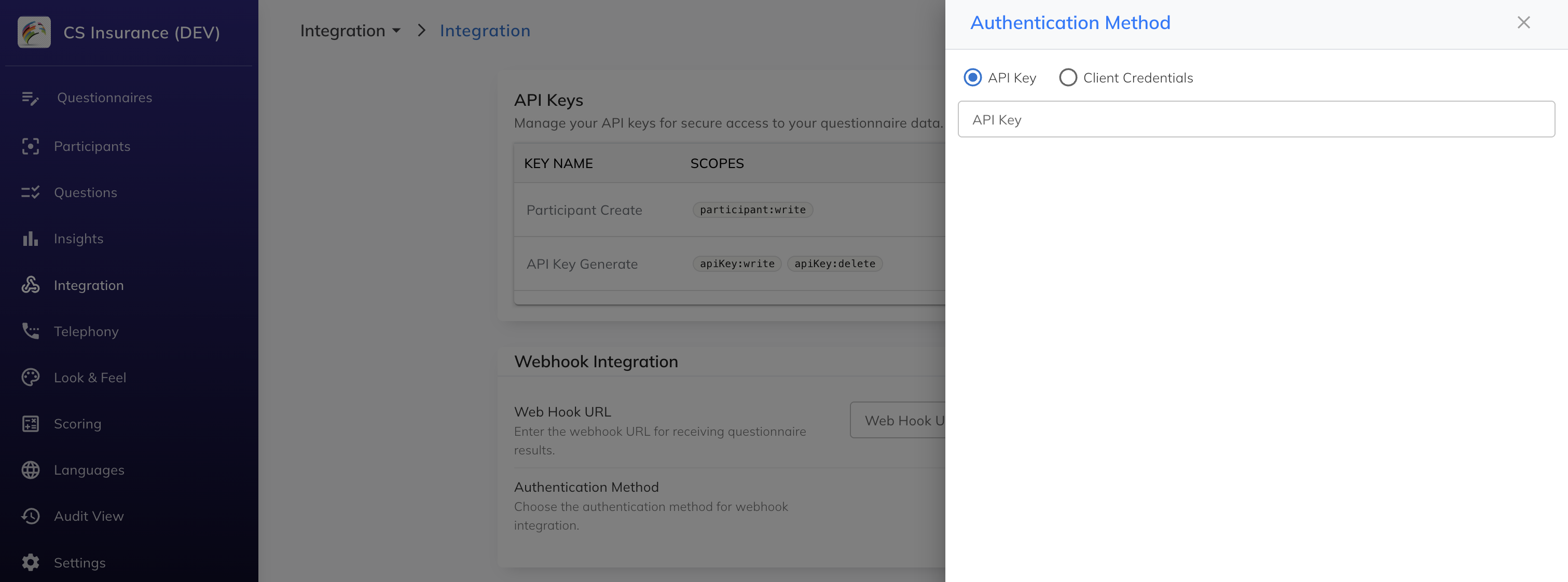 Screenshot placeholder — Authentication Method dialog, API Key selected
Select Client Credentials and provide the following values from your identity provider:
| Field | Description |
|---|---|
| Token URL | The OAuth2 token endpoint Clearspeed uses to obtain a bearer token |
| Audience | The audience claim for the token (if required by your IdP) |
| Client ID | The client ID issued by your IdP |
| Client Secret | The client secret issued by your IdP |
Clearspeed will perform the client credentials flow before each delivery and send the resulting bearer token as an Authorization: Bearer <token> header with each webhook request.
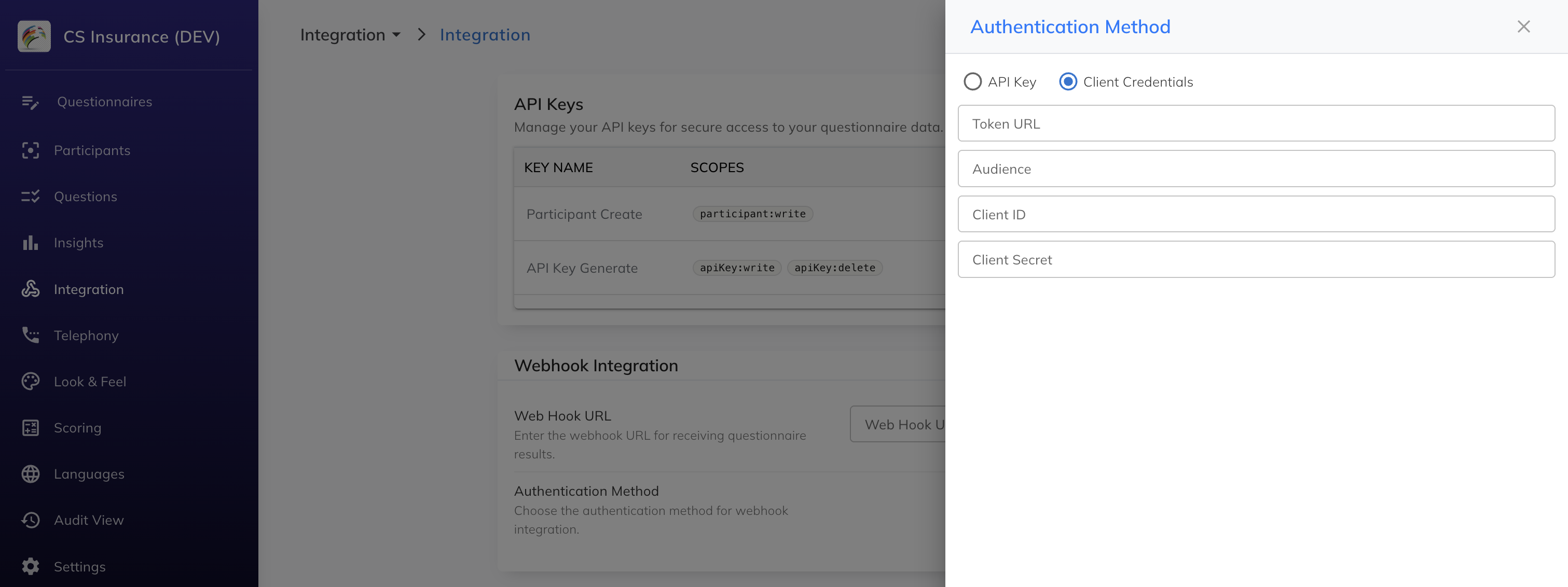 Screenshot placeholder — Authentication Method dialog, Client Credentials selected
Click Save to apply the configuration.
Your endpoint must return HTTP 200 to acknowledge successful receipt of the webhook payload. Any other status code (or a connection timeout) is treated as a delivery failure.
Clearspeed does not retry automatically on failure — see Retrying failed deliveries below.
Keep your endpoint response fast. Perform any heavy processing asynchronously after returning 200.
If a webhook delivery fails (non-200 response or timeout), the original payload is stored. A Retry Webhook button appears in the Webhook Delivery Failed row on the Integration page — but only when there are failures from the past 15 days. If no recent failures exist, this row is not shown.
Clicking Retry Webhook resends all failed payloads from the past 15 days to your currently configured endpoint. Failures older than 15 days cannot be retried.
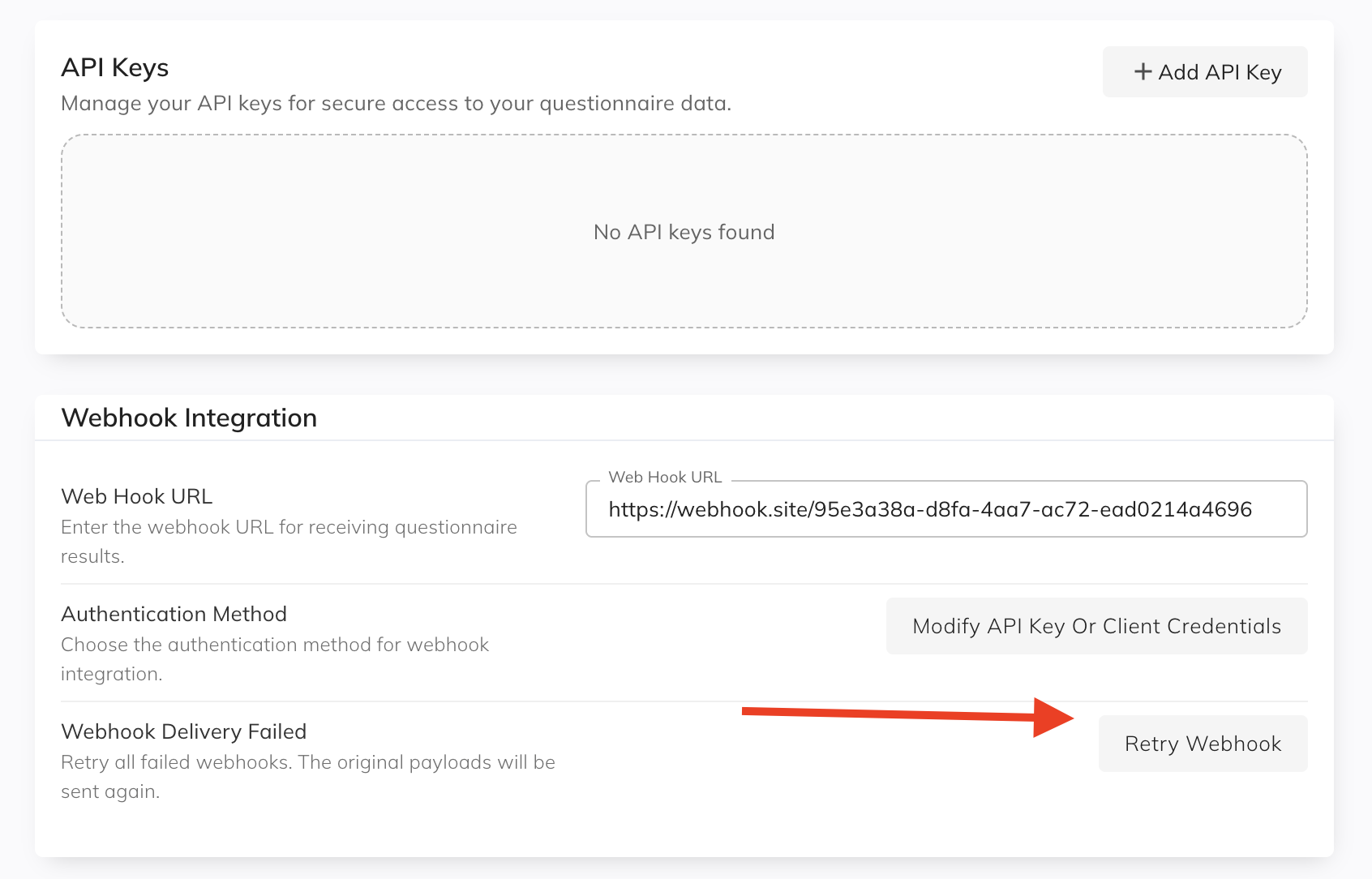 Screenshot placeholder — Integration page, Retry Webhook button
Clearspeed sends a POST request with a JSON body. See the Integration API reference for the full payload schema and examples covering all result types (Result Published, Attempted - Incomplete, Attempted - Partial, Under Review, and Precision evaluations).
A representative payload looks like this:
{
  "project_uuid": "fd9690b0-9050-4acd-ad74-7f906c07fe93",
  "callback_type": "Result Update",
  "interview_ref_num": "7858934895810",
  "access_code": "71360059",
  "status": "Result Published",
  "overall_evaluation": "HR",
  "summary": "HR",
  "summary_bgcolor": "#dc3545",
  "clear": false,
  "is_admission": false,
  "is_counter_measure": false,
  "is_not_complete": false,
  "participant_language": "English",
  "questions_risk_rating": [
    { "sequence": "1", "risk_level": "HR", "text": "Question 1" },
    { "sequence": "2", "risk_level": "LR", "text": "Question 2" }
  ]
}